Set up Surflare VPN on Windows
Download the app
Download the Surflare installer and run it to install the app on your Windows PC.
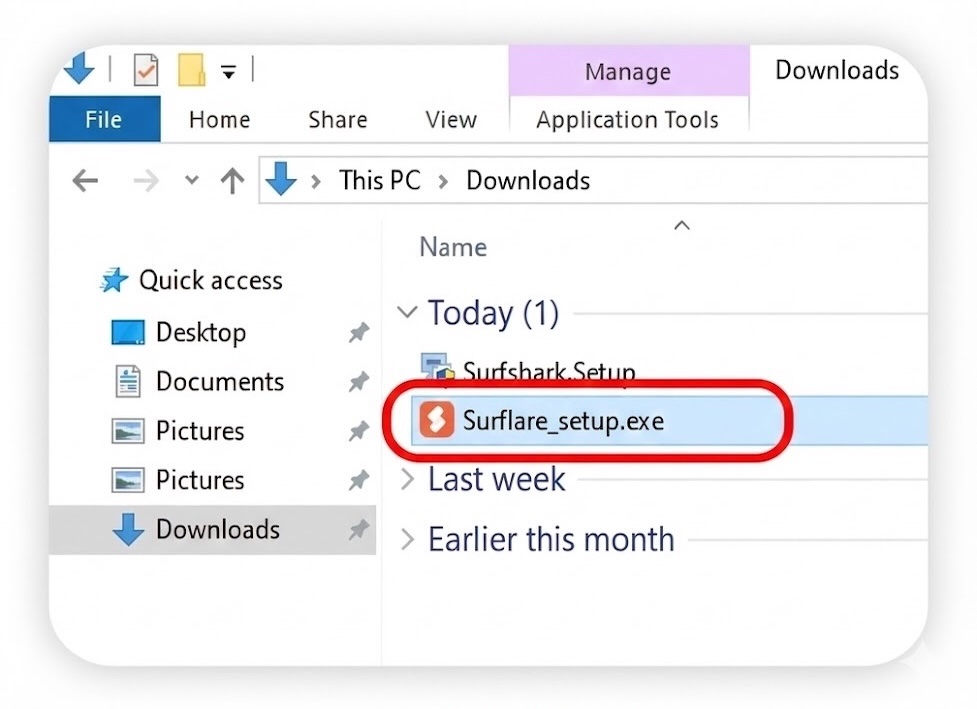
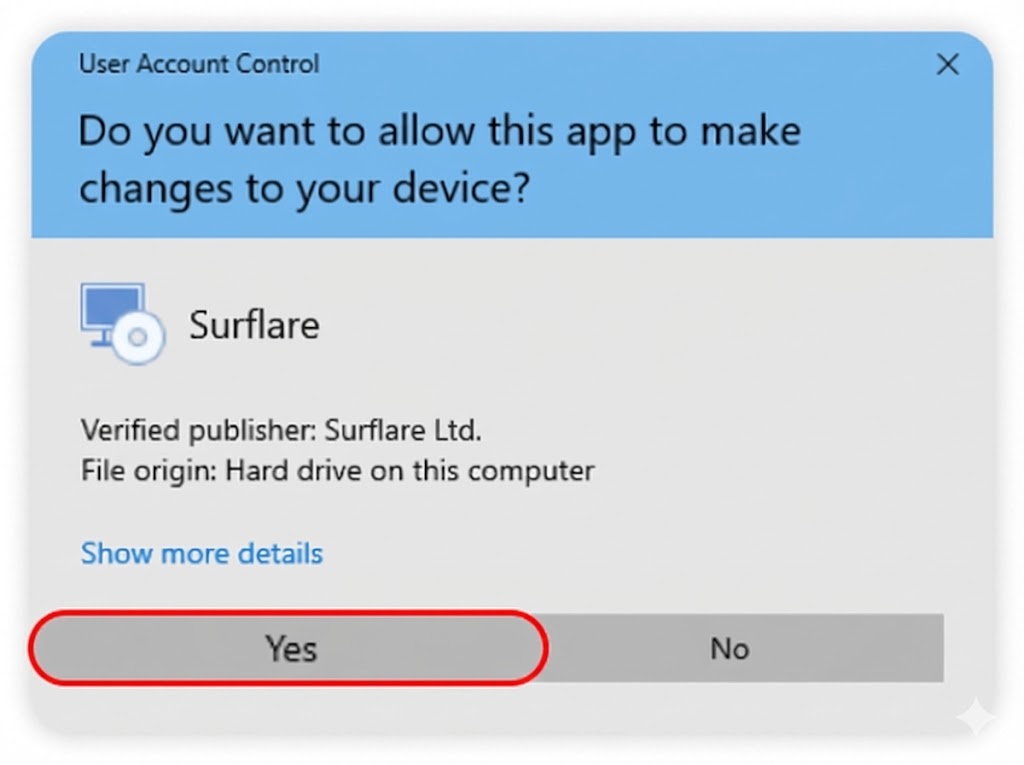
Install the application
Locate the downloaded installer file (usually in your Downloads folder) and double-click to run it. When prompted to allow changes to your device, click "Yes" to proceed with the installation.
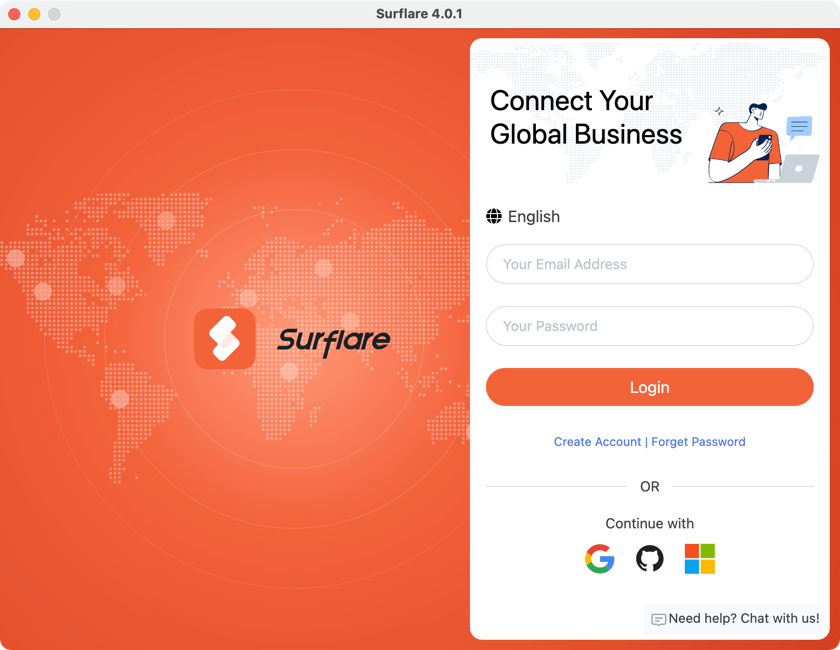
Log in to your account
Open the Surflare app after installation. Tap "Log in" and enter your email and password.
Connect to VPN
After logging in, the server is set to "Auto Best" by default. Simply tap the Connect button to connect to the fastest server based on your location.
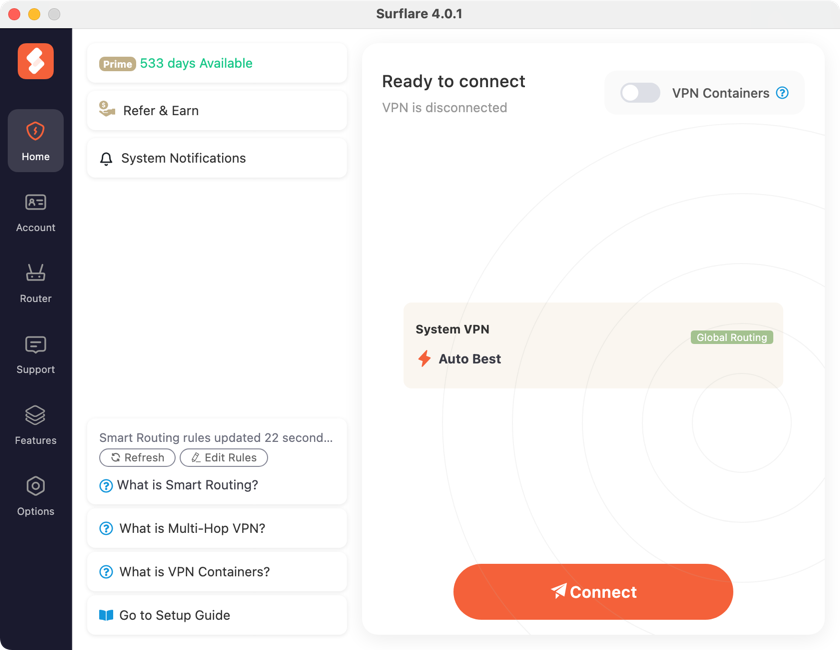
You can also choose a specific server location, configure routing modes, or enable Multi-Hop VPN as needed.
VPN Server Selection
- Auto Detect (Recommended)
Automatically connects to the fastest server. Best for general use when you don't need a specific location.
- City
If you need to access from a specific country or city, select the desired location. When multiple servers are available in one city, the app automatically connects to the fastest one.
- Specific Server
Manually select an individual server from the list if needed.
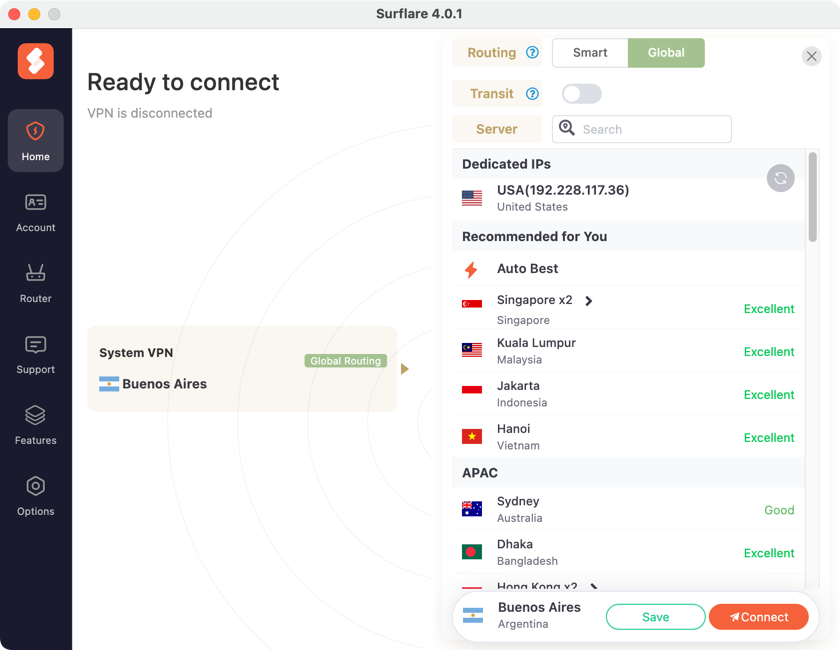
Routing Modes

Transit Server (Multi-Hop VPN)
Surflare will automatically find the fastest nearby relay server to forward your data, significantly improving connection speed.
You can also specify a transit server manually if needed.
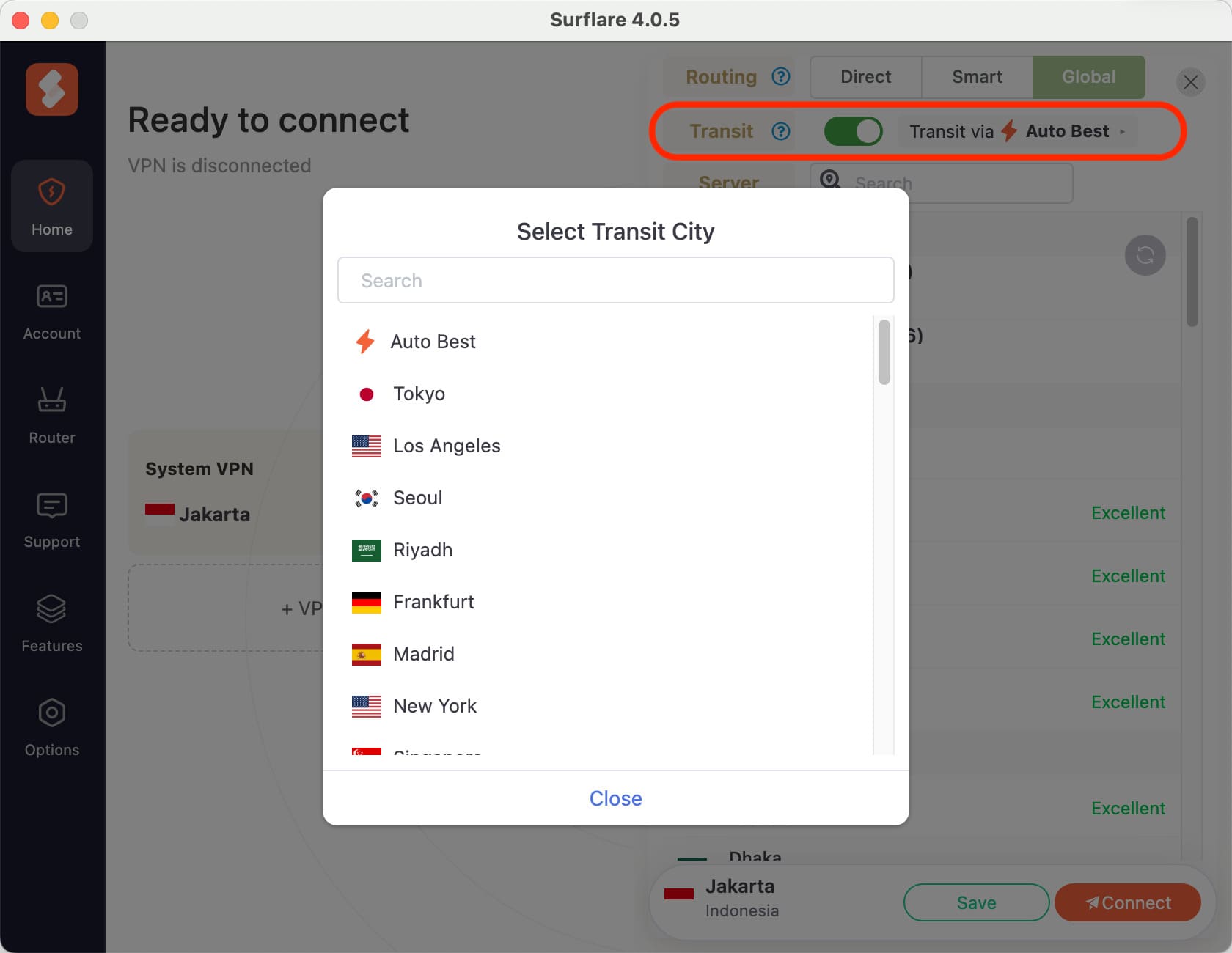
Once you have configured your preferences, tap the Connect button to start your VPN connection.
Verify Your Connection
After connecting, check your internet IP address in the app to confirm you are connected. Try accessing apps and websites to ensure everything works as expected.